


With model devs pushing more aggressive rate limits, raising prices, or even abandoning subscriptions for usage-based pricing, that vibe-coded hobby project is about to get a whole lot more expensive. Fortunately, you’re not without cost-saving options.
Over the past few weeks, we’ve seen Anthropic toy with dropping Claude Code from its most affordable plans while Microsoft has skipped testing the waters and moved GitHub Copilot to a purely usage-based model. The whole debacle got us thinking. Do we even need Anthropic or OpenAI’s top models, or can we get away with a smaller local model? Sure, it might be slower, less capable, and a little more frustrating to work with, but you can’t beat the price of free… Well, assuming you’ve already got the hardware that is.
It just so happens that Alibaba recently dropped Qwen3.6-27B, which the cloud and e-commerce giant boasts packs “flagship coding power” into a package small enough to run on a 32 GB M-series Mac or 24 GB GPU.
What’s changed
This isn’t the first time we’ve looked at local code assistants. Previously we explored using Continue’s VS Code extension for tasks such as code completion and generation.
At the time, the models and software stack were quite immature, making them useful tools, but not necessarily good enough to compete with larger frontier models. Since then, model architectures and agent harnesses have improved dramatically.
“Reasoning” capabilities allow small models to make up for their size by “thinking” for longer, mixture-of-experts models mean you don’t need terabytes a second of memory bandwidth for an interactive experience, and vastly improved function and tool calling capabilities mean that these models can actually interact with code bases, shell environments, and the web.
All vibes, no rate limits
In this hands on, we’ll be looking at how to deploy and configure local models like Qwen3.6-27B, for coding on your computer, and explore some of the agent frameworks you can use with them.
What you’ll need:
- A machine capable of running medium-sized LLMs. We recommend an Nvidia, AMD or Intel GPU with at least 24 GB of VRAM. If you’re a little short on memory, we’ll also discuss how to pool your system and GPU memory. For those on newer Mx-Max series Macs, we recommend at least 32 GB of unified memory.
- For this guide, we’ll be using Llama.cpp to run our model, but if you prefer to use LM Studio, Ollama, or MLX, the set up process is similar. If you need help getting Llama.cpp installed on your system, you can find our comprehensive setup guide here.
Note: Older M-series Macs may struggle with the large context lengths required for agentic coding. You may have better luck with an inference engine like oMLX, which can take better advantage of Apple’s hardware accelerators, but your mileage may vary.
Spinning up the model
Running LLMs locally is a dead simple process these days. Install your favorite inference engine. Download the model, and connect your app via the API.
However, for code assistants in particular, there are a couple of parameters we need to dial in, otherwise the model is apt to churn out garbage and broken code. Some models require specific hyper-parameters to function properly in different applications, and Qwen3.6-27B is no exception.
When using Qwen3.6-27B for vibe coding, Alibaba recommends setting the following parameters:
- temperature=0.6
- top_p=0.95
- top_k=20
- min_p=0.0
- presence_penalty=0.0
- repetition_penalty=1.0
We also need to set the model’s context window as large as we can fit in memory.
If you’re not familiar, a model’s context window defines how many tokens the model can keep track of for any given request.
When working with large code bases containing thousands of lines of code, this adds up quickly. What’s more, the system prompts used by many agent frameworks can be quite large, so we want to set our context window as high as possible.
Qwen3.6-27B supports a 262,144 token context window, but unless you have a high-end Mac or a workstation GPU, you probably don’t have enough memory to take advantage of all of that, at least not at 16-bit precision.
The good news is that we don’t need to store the key-value caches, which track the model state, at 16-bits. We can get away with lower precisions without too much performance and quality degradation. To maximize our context window, we’ll be compressing the key value pairs to 8-bits.
Finally, we’ll want to make sure prefix caching is turned on. For workloads where large sections of the prompt are going to be reprocessed over and over again, like a system prompt or code base, this will speed up inference by ensuring only new tokens are processed. In newer builds of Llama.cpp this should be enabled by default, but we’ll call those flags just in case.
With all that out of the way, here’s the launch command we’re using for a 24GB Nvidia RTX 3090 TI, but the same code command should work just fine if you’re using an AMD or Intel GPU or are running Llama.cpp on a Mac. If you’re running this on a machine with more memory, try bumping up the context window to 131,072 or 262,144.
llama-server \
  --hf-repo unsloth/Qwen3.6-27B-GGUF:Q4_K_M \
  --ctx-size 65536 \
  -ngl 999 \
  --flash-attn on \
  --cache-prompt \
  --cache-type-k q8_0 \
  --cache-type-v q8_0 \
  --temp 0.6 \
  --top-p 0.95 \
  --top-k 20 \
  --min-p 0.0 \
  --presence-penalty 0.0 \
  --repeat-penalty 1.0 \
  --port 8080
If you’re planning on running Llama.cpp and accessing it on another machine, you’ll also want to add –host 0.0.0.0 to the command, which will expose it to your local area network. If Llama.cpp is running in a VPC, you’ll want to configure your firewall rules before passing this flag for the sake of security.
Choosing an agent framework
Now that our model is up and running, we need to connect it to an agentic coding harness. On their own, models can generate code, but they have no way to implement, test, or debug it without an active development environment. Part of what has helped vibe coding take off where other AI ventures have struggled, is that code is verifiable. It either runs or compiles, or it doesn’t.
To keep things simple we’ll be looking at three popular options: Claude Code, Pi Coding Agent, and Cline.
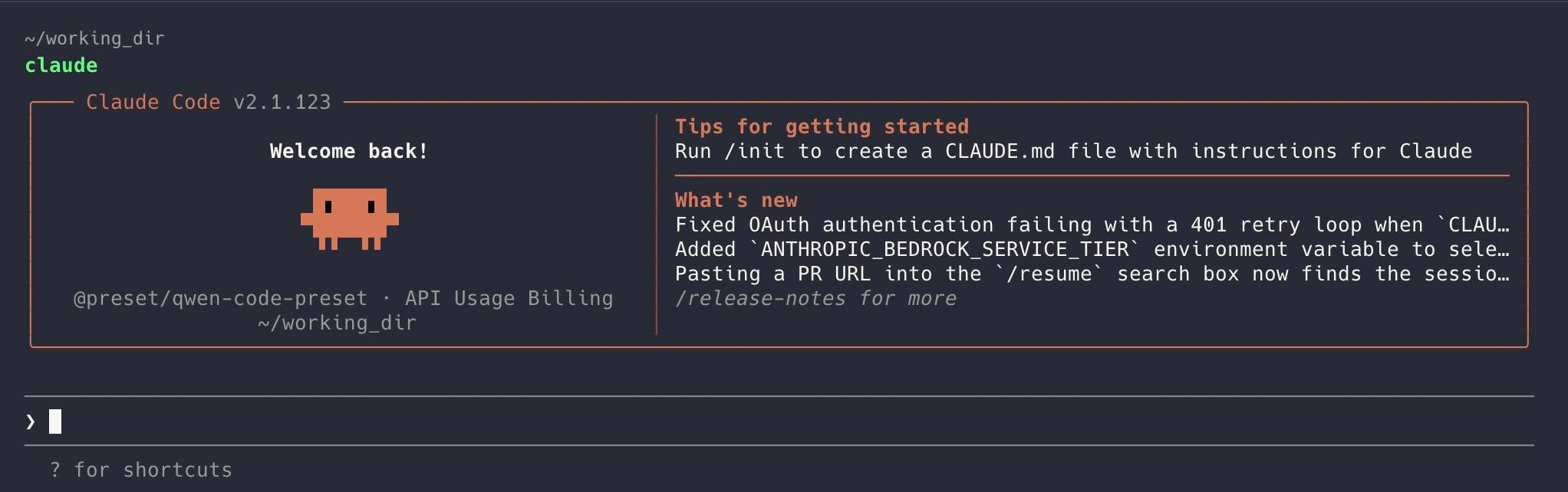
Despite what you might think, you don’t actually have to use Claude Code with Anthropic’s models – Click to enlarge
We’ll kick things off with Claude Code. Despite what you might think, you don’t have to use Claude Code with Anthropic’s models. The framework works just fine with local models, assuming you’ve got enough resources to run them.
Install Claude Code as you normally would. You can find Anthropic’s one-liner here.
Next, we’ll need to tell Claude Code we want to use the model running locally on our machine rather than a Claude account or Anthropic’s API services. This is done by setting a few shell variables before launching Claude Code.
export ANTHROPIC_BASE_URL="http://localhost:8001"
export ANTHROPIC_API_KEY='none'
claude
These will need to be run each time you launch Claude from a new session.
Now when you start Claude, it’ll connect directly to your local model. Claude Code itself continues to function as it normally would.
Pi Coding Agent
Let’s say you not only want to use your own local models, but would prefer an open source harness as well. If you like Claude Code, you’ll probably like the Pi Coding Agent. And just like Claude Code, it’s not picky about what model you use with it.
One of the main attractions of Pi Coding Agent is how lightweight it is. Long input sequences can be extremely taxing on lower end or older GPUs or accelerators. Claude Code and Cline both have system prompts that can bring less capable hardware to a crawl. By comparison, Pi Coding Agent’s default system prompt is short enough to keep things snappy, especially with prompt-caching enabled.
However, that speed comes at the expense of many of the guardrails and safety features we see on other coding agents. This is one you’ll probably want to spin up in a virtual machine, container, or even a Raspberry Pi.
Much like Claude, the Pi Coding Agent can be installed using the appropriate one liner for your system. After that, all that’s required is a little bit of JSON telling the agent harness where to find your model.
If you’ve been following along, the setup is fairly simple. Using your preferred text editor, create the following file:
Windows:
edit ~/.pi/agent/models.json
Linux / Mac:
nano ~/.pi/agent/models.json
Next, paste in the following template. If you’ve set an API key, replace no_API_key_required with your key. The rest of these will depend on what model and port you’re using. You’ll also want to adjust the contextWindowSize to match what you set in Llama.cpp.
  "providers": {
    "llama.cpp": {
      "baseUrl": "http://localhost:8080/v1",
      "api": "openai-completions",
      "apiKey": "none",
      "models": [
        { "id": "unsloth/Qwen3.6-27B-GGUF:Q4_K_M" }
      ]
    }
  }
}
With that out of the way, we can navigate to our working directory, launch Pi Coding Agent, and get to work vibe coding our next hobby project.
pi --model unsloth/Qwen3.6-27B-GGUF:Q4_K_M
Cline
Claude Code integrates directly with popular integrated development environments (IDEs) like VS Code, but if you’re going this route, we also recommend checking out another open source app called Cline.
Installing Cline is as simple as finding it in VS Code’s — or a supported IDE’s — extension manager and adding it to your library.
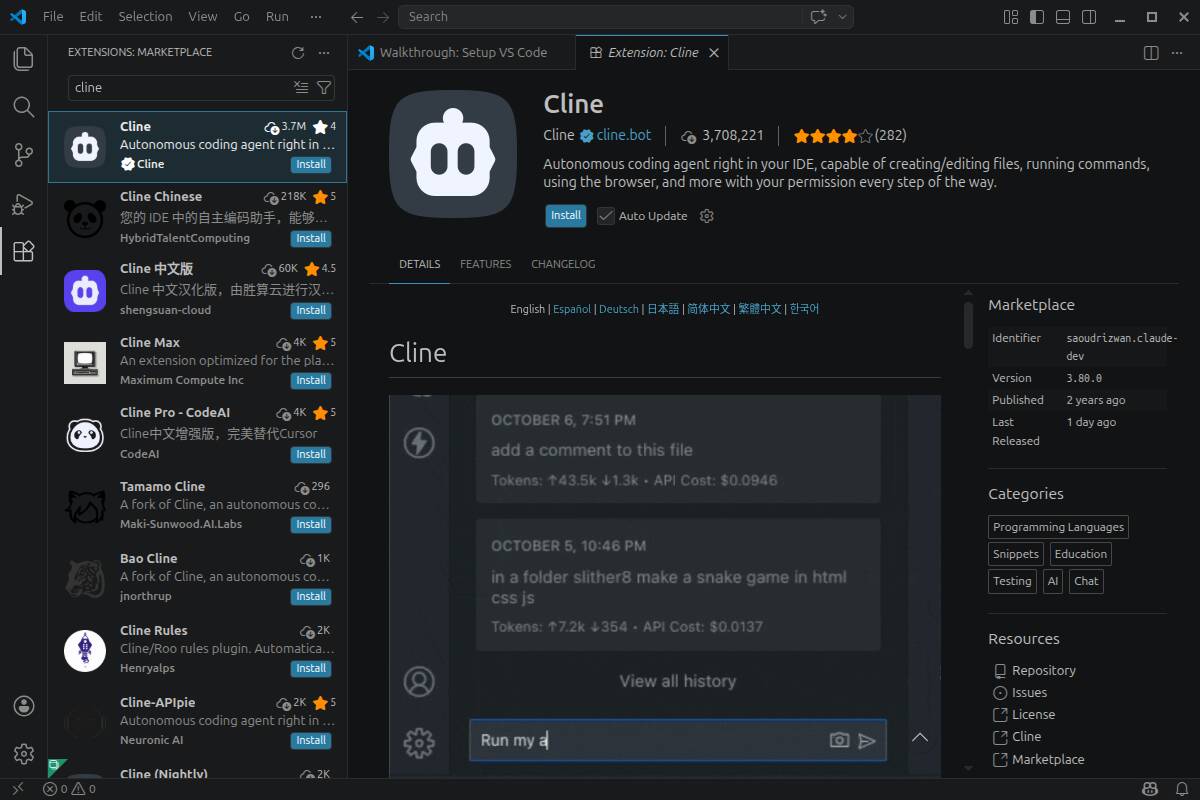
Cline is available as an extension in many popular IDEs, including VS Code – Click to enlarge
Next, we’ll point Cline at our Llama.cpp server and adjust a few hyperparameters like temperature and context size:
- Base URL: http://localhost:8080/v1
- Model ID: unsloth/Qwen3.6-27B-GGUF:Q4_K_M
- Context Window Size: 65536 (Or whatever you set in Llama.cpp)
- Temperature: 0.6
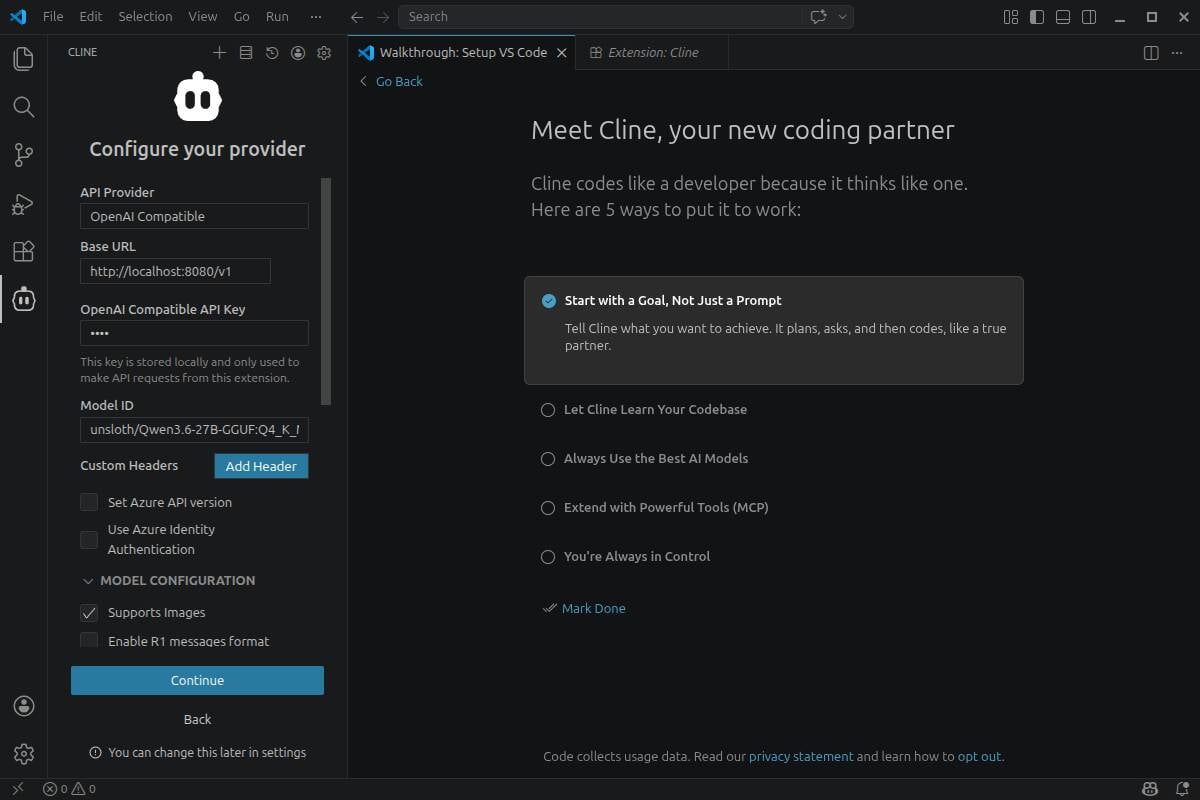
Once the app is installed, all you need to do is point Cline at your Llama.cpp server. – Click to enlarge
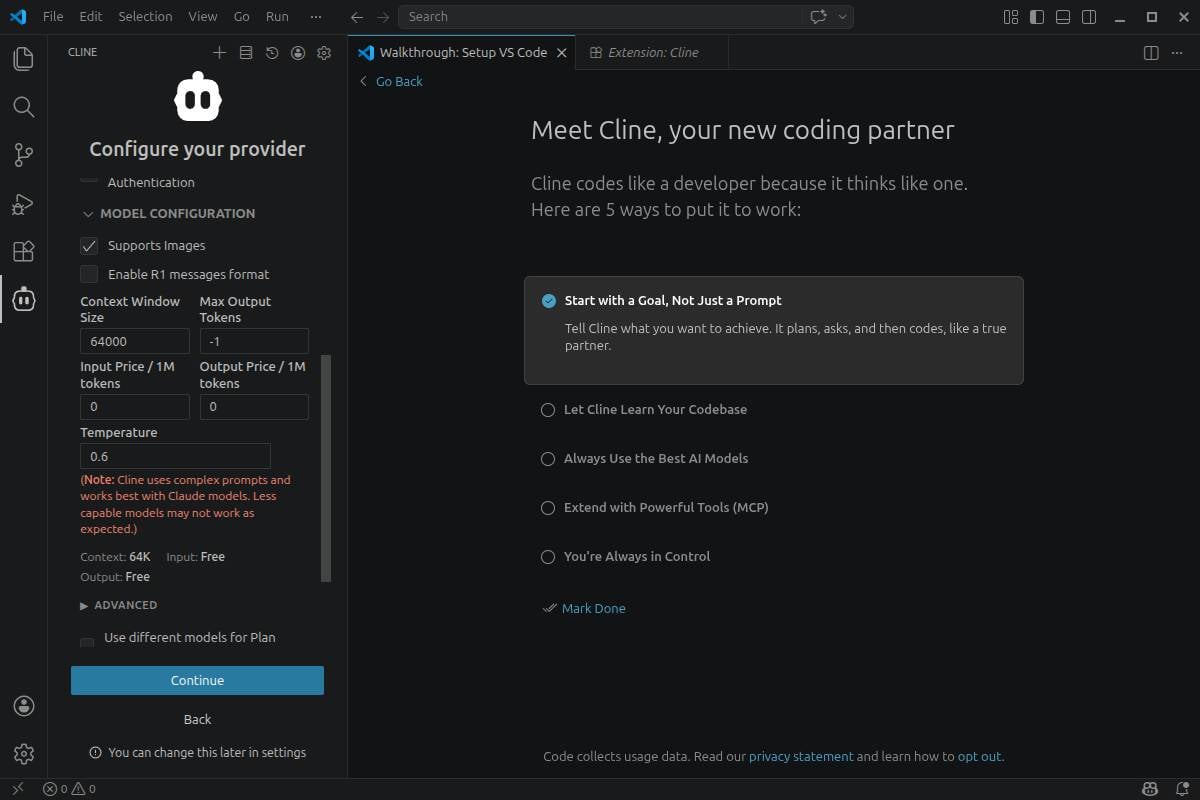
Then, set your max context size and model temperature. – Click to enlarge
Once it is configured, you can interact with Cline through its chat interface. Any files or edits will appear in VS Code as they’re generated.
One of Cline’s more useful features is the ability to switch between a pure planning mode and an action mode. If you’ve ever gotten frustrated because Claude interpreted a question as a call to action when what you really want to do is workshop a problem, this is a huge help.
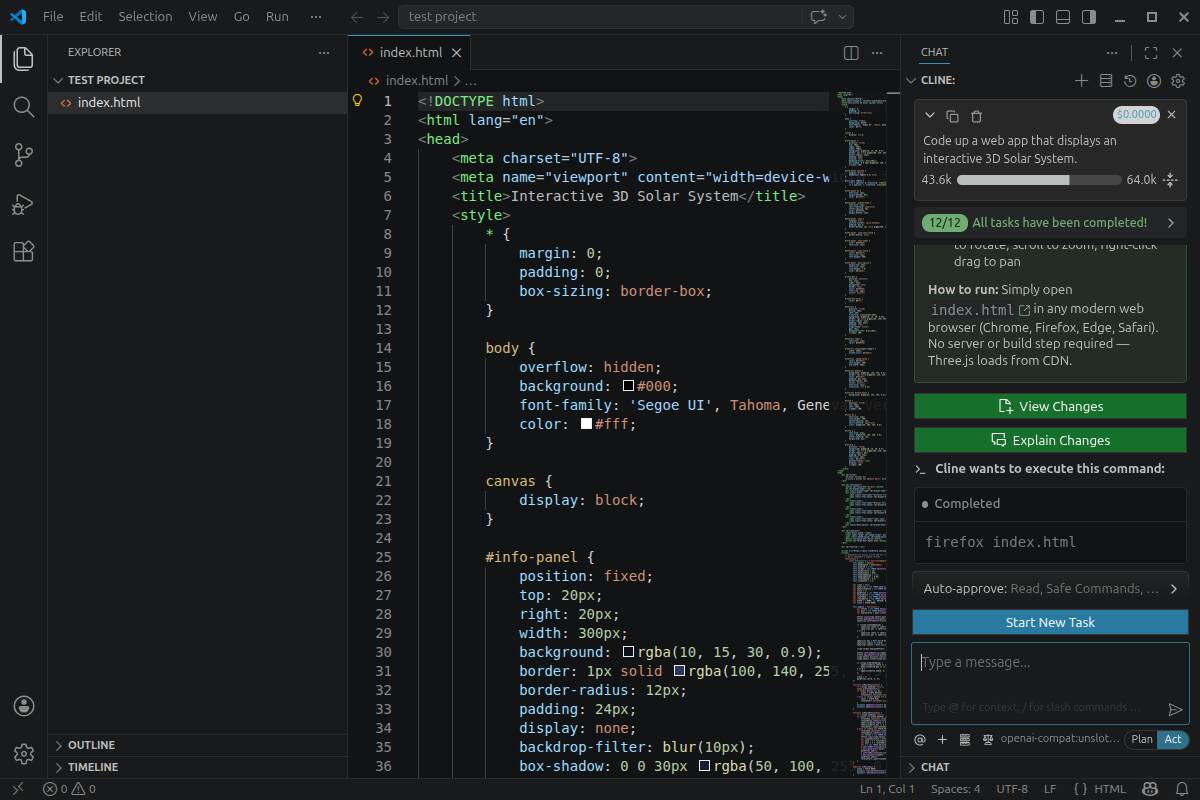
As you interact with Cline, changes will appear in VS Code’s editor. – Click to enlarge
Are local models finally good enough?
So can Qwen3.6-27B replace Opus 4.7 or GPT-5.5? Not exactly. As you probably guessed, a 27B LLM isn’t a replacement for a multi-trillion parameter frontier model.
However, you might be surprised with just how far you can get with local models these days. In our testing, Qwen3.6-27B easily one shot an interactive solar system web app and was able to accurately identify and patch bugs in an existing code base.
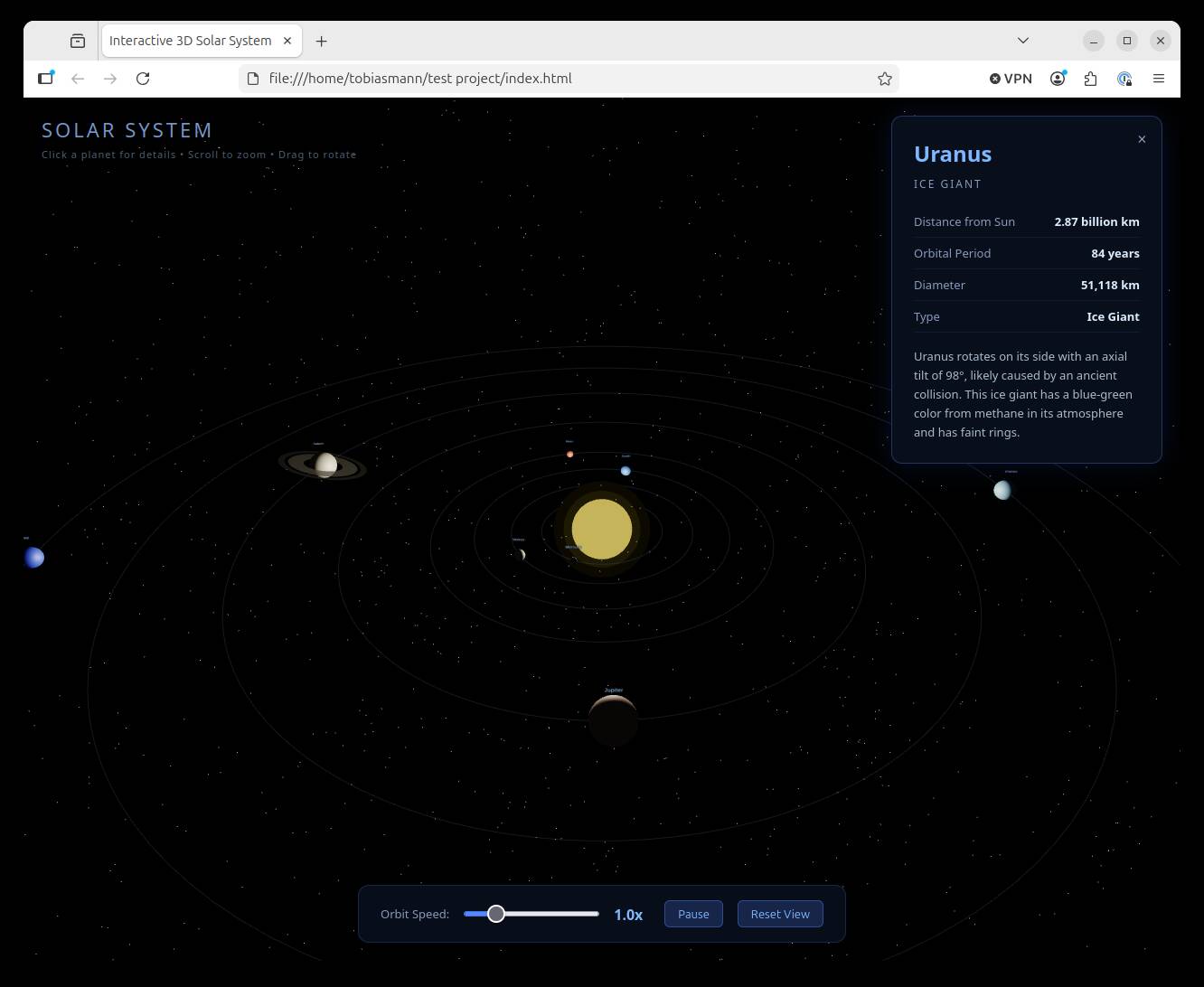
Working with Cline, Qwen3.6-27B managed to one shot an interactive solar system web app. – Click to enlarge
Admittedly, these are fairly trivial projects. To get a better sense of how well the model performs, I handed it over to fellow vulture Thomas Claburn to see how it compares to his recent experience with Claude Code.
He writes:
I’ve only recently started playing around with local models, but Tobias’s experience seems similar to my own. I’ve been using the pi coding agent, with OMLX as the model server, and while the token rate is a lot slower, I’m satisfied with Qwen so far, at least for small scripts.
For example, I asked the model to write a Python script for resizing images to a specified width and it did so – after about five minutes with a few manual approvals.
Claude Code’s assessment of the Qwen model’s work is more positive than I expected – “Overall: Strong, production-quality script.”
Claude had some improvements to suggest, but none of them were necessary. For example:
get_save_formatsilently treats all non-PNG as JPEG A .webp file in the directory would be filtered out bySUPPORTED_EXTENSIONS, but if that set ever grows, the fallthrough to JPEG would be a silent misbehavior. An explicit elif or a lookup dict would be safer.Given the time required to generate that code, I can see using local agents for focused, discrete code changes, scripts, and minimal web projects.
With a more substantial project, I expect there would be too many things that need correction. But a lot is going to depend on the skills and tools available to the local model. The best way to figure out if local models are plausible is to give them a try – they might work for your purposes. Make sure you have memory-heavy hardware – and make sure you have your data backed up.
Are these agents even safe?
With all the hullabaloo over the security nightmare known as OpenClaw, it’s a good question. Thankfully, most of the frameworks we’ve discussed here are fairly limited in their autonomy. By default, Claude Code, and Cline rely on having a human-in-the-loop to approve code changes and execute shell commands.
Unless you’ve whitelisted a set of commands or are spamming the enter key before reading without taking the time to understand what it is that the agent is trying to do, the blast radius should be manageable. We emphasize “should be” because a basic understanding of the programming language and common CLI commands goes a long way here. If the model starts asking to run rm -rf on files or folders outside your working directory, something probably has gone wrong.
This isn’t the case with Pi Coding Agent, which operates in YOLO mode out of the box, which gives it free rein to read and modify anything it has access to. In a dedicated development environment like a virtual machine or Raspberry Pi, this might be an acceptable risk, but if it’s not, you may want to consider running the agent in a proper sandbox.
Containerization offers an easy avenue for this. It’s fairly simple to spin up a Docker container and pass your working directory through to it. Docker is a whole can of worms on its own, but the following run command should give you a reasonable starting point for a sandboxed environment. You can find instructions on installing Docker on your preferred OS here.
docker run -it --name vibe_container -v working_dir:/working_dir ubuntu /bin/bash
This will spin up a new Ubuntu docker container and pass through our working directory to the container. Any changes will be limited to that folder or the container.
If you’d like to see a comprehensive guide on building agent sandboxes, let us know in the comments section. ®
